Cookbook: Langserve Integration
Langserve (Python)
LangServe helps developers deploy LangChain runnables and chains as a REST API.
This library is integrated with FastAPI and uses pydantic for data validation.
In addition, it provides a client that can be used to call into runnables deployed on a server. A JavaScript client is available in LangChain.js.
This cookbook demonstrates how to trace applications deployed via Langserve with Langfuse (using the LangChain integration). We'll run both the server and the client in this notebook.
Setup
%pip install fastapi sse_starlette httpx langserve langfuse langchain-openai langchain --upgradeimport os
# Get keys for your project from the project settings page
# https://cloud.langfuse.com
os.environ.setdefault("LANGFUSE_PUBLIC_KEY", "")
os.environ.setdefault("LANGFUSE_SECRET_KEY", "")
os.environ.setdefault("LANGFUSE_BASE_URL", "https://cloud.langfuse.com") # 🇪🇺 EU region
# Other Langfuse data regions include 🇺🇸 US: https://us.cloud.langfuse.com, 🇯🇵 Japan: https://jp.cloud.langfuse.com and ⚕️ HIPAA: https://hipaa.cloud.langfuse.com
# Your openai key
os.environ.setdefault("OPENAI_API_KEY", "")Simple LLM Call Example
Initialize the Langfuse CallbackHandler (authenticated via the environment variables set above) and configure the LLM with it as callback handler. Add to Fastapi via Langserve's add_routes().
from langchain_openai import ChatOpenAI
from langchain_core.runnables.config import RunnableConfig
from langfuse import get_client
from langfuse.langchain import CallbackHandler
from fastapi import FastAPI
from langserve import add_routes

# Initialize Langfuse CallbackHandler for Langchain (tracing)
langfuse_handler = CallbackHandler()

# Tests the SDK connection with the server
get_client().auth_check()

llm = ChatOpenAI()

config = RunnableConfig(callbacks=[langfuse_handler])

llm_with_langfuse = llm.with_config(config)

# Setup server
app = FastAPI()

# Add Langserve route
add_routes(
    app,
    llm_with_langfuse,
    path="/test-simple-llm-call",
)
Note: We use TestClient in this example to be able to run the server in a notebook
from fastapi.testclient import TestClient

# Initialize TestClient
client = TestClient(app)

# Test simple route
response = client.post("/test-simple-llm-call/invoke", json={"input": "Tell me a joke?"})
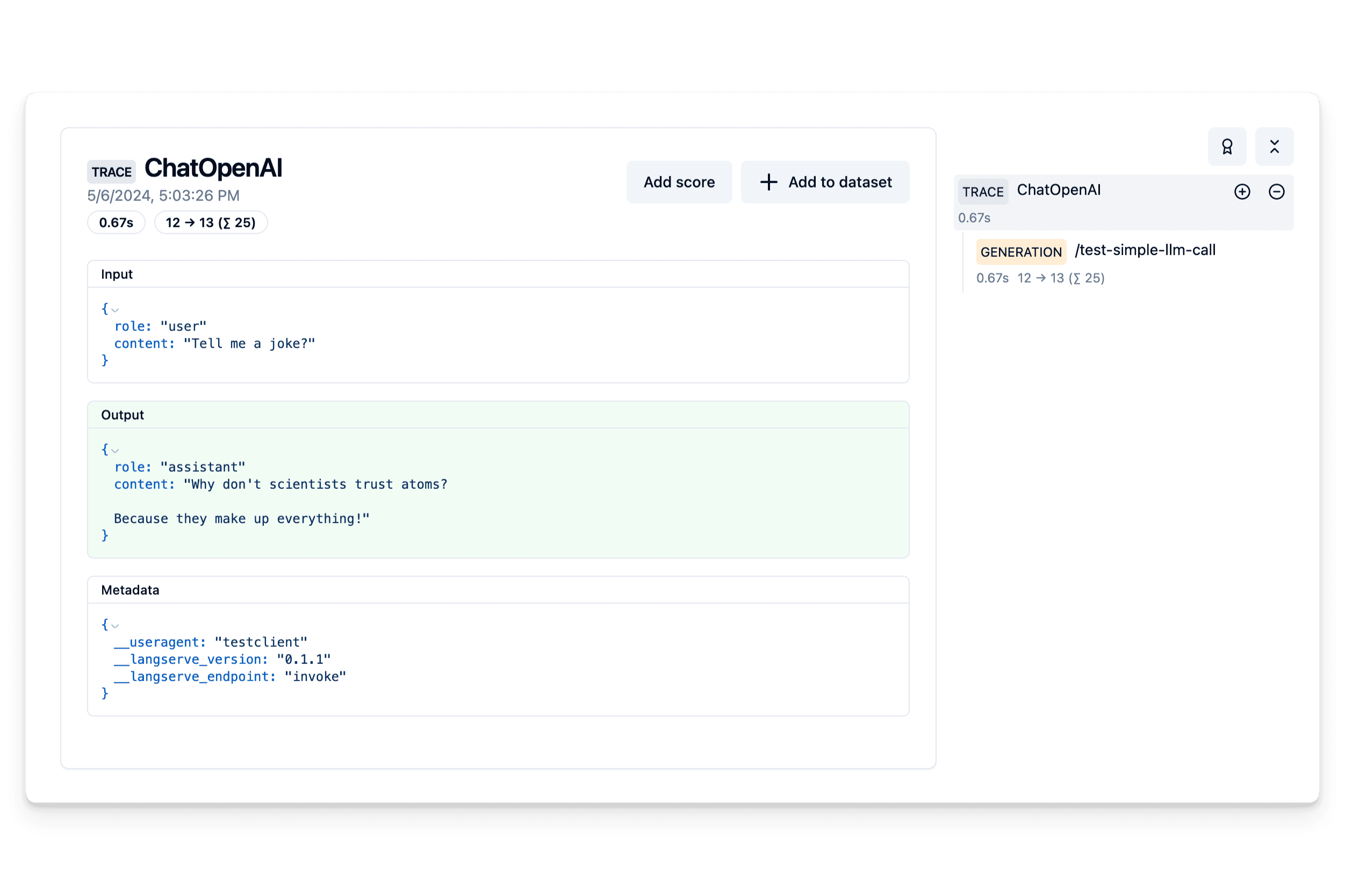
Example trace: https://cloud.langfuse.com/project/cloramnkj0002jz088vzn1ja4/traces/5f32e2e7-9508-4280-b47b-e0356bc3c81e
LCEL example
from langchain_core.prompts import ChatPromptTemplate
from langchain_core.output_parsers import StrOutputParser
from langserve import add_routes

# Create Chain
prompt = ChatPromptTemplate.from_template("Tell me a joke about {topic}")

chain = prompt | llm | StrOutputParser()

# Add new route
add_routes(
    app,
    chain.with_config(config),
    path="/test-chain",
)

# Test chain route
response = client.post("/test-chain/invoke", json={"input": {"topic": "Berlin"}})
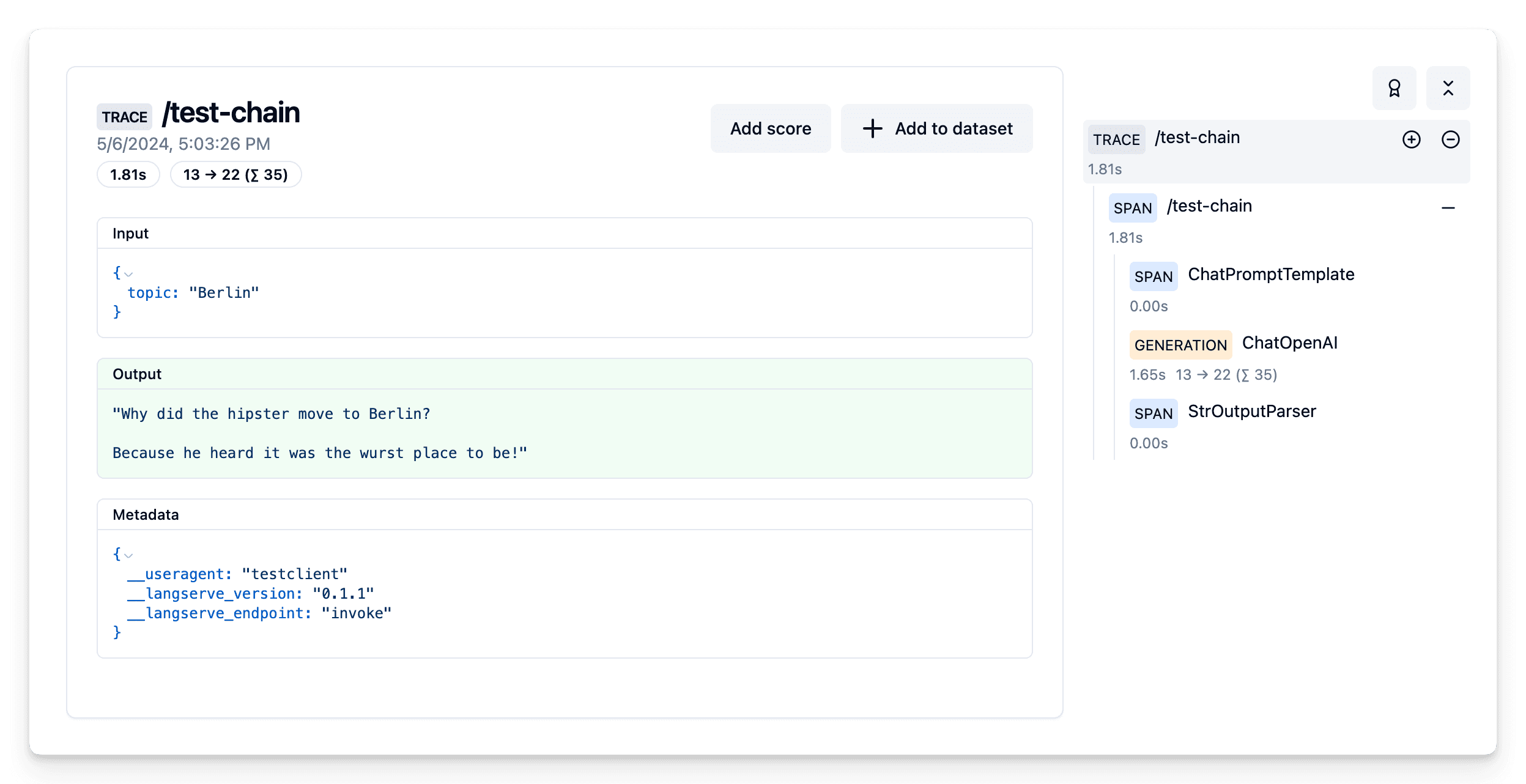
Example trace: https://cloud.langfuse.com/project/cloramnkj0002jz088vzn1ja4/traces/261d1006-74ff-4b67-8baf-afdfc827aee2
Agent Example
from langchain_core.tools import tool
from langchain_core.utils.function_calling import convert_to_openai_tool
from langchain.agents.format_scratchpad.openai_tools import (
    format_to_openai_tool_messages,
)
from langchain.agents import AgentExecutor
from langchain.agents.output_parsers.openai_tools import OpenAIToolsAgentOutputParser
from langserve.pydantic_v1 import BaseModel
from langchain_core.prompts import MessagesPlaceholder

class Input(BaseModel):
    input: str

prompt = ChatPromptTemplate.from_messages(
    [
        ("system", "You are a helpful assistant."),
        ("user", "{input}"),
        MessagesPlaceholder(variable_name="agent_scratchpad"),
    ]
)

@tool
def word_length(word: str) -> int:
    """Returns a counter word"""
    return len(word)

tools = [word_length]

llm_with_tools = llm.bind(tools=[convert_to_openai_tool(tool) for tool in tools])

agent = (
    {
        "input": lambda x: x["input"],
        "agent_scratchpad": lambda x: format_to_openai_tool_messages(
            x["intermediate_steps"]
        ),
    }
    | prompt
    | llm_with_tools
    | OpenAIToolsAgentOutputParser()
)
agent_executor = AgentExecutor(agent=agent, tools=tools)

agent_config = RunnableConfig({"run_name": "agent"}, callbacks=[langfuse_handler])

add_routes(
    app,
    agent_executor.with_types(input_type=Input).with_config(
        agent_config
    ),
    path="/test-agent",
)

response = client.post("/test-agent/invoke", json={"input": {"input": "How long is Leonardo DiCaprios last name?"}})
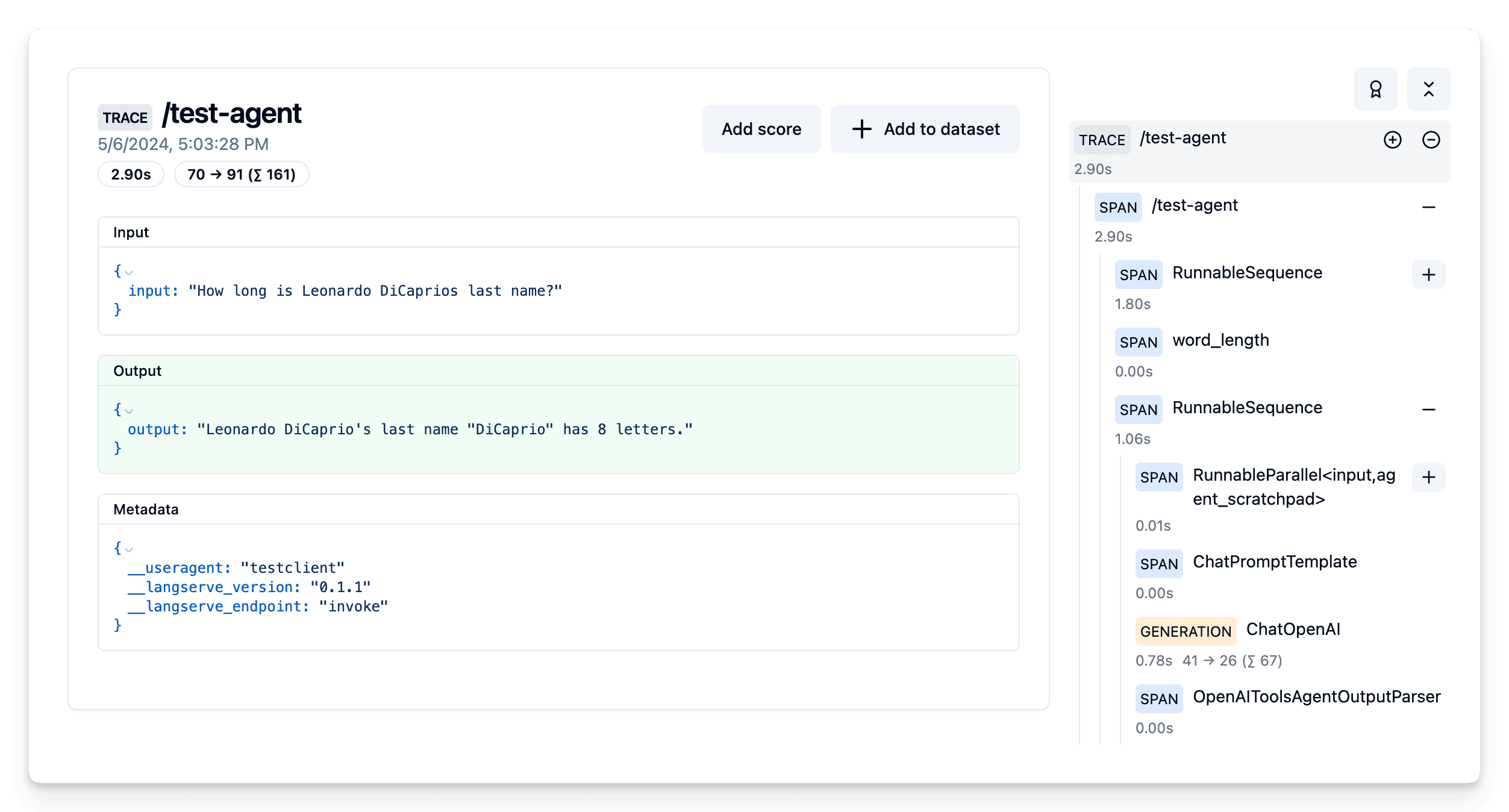
Example trace: https://cloud.langfuse.com/project/cloramnkj0002jz088vzn1ja4/traces/ed1d57f9-2f35-4e72-8150-b061f21840a7
Last edited


